Hajana Technologies Logo
Hajana Technologies
Agentic AIAI Consulting

Building Autonomous Enterprise Agents with Claude: From Skills to Scheduled Tasks and Cloud Routines

HT

Hajana Technologies

July 22, 2026
10 min read
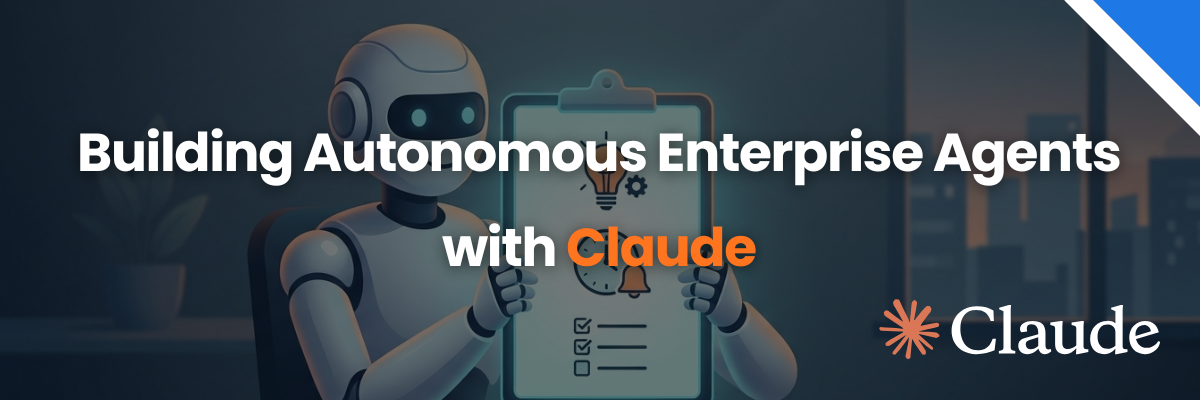
Banner reading 'Building Autonomous Enterprise Agents with Claude' featuring a Robot holding a Task Checklist
An AI agent stops being a mere chatbot the moment it starts initiating action on its own - at the right time, with the right tools, and under the right constraints.
Until that crossover occurs, every interaction with an AI model begins with a human typing into a prompt box. After that crossover, a CI/CD build failure fires an API webhook and Claude automatically inspects the stack trace; a cron clock hits 08:00 AM UTC and Claude compiles overnight Slack threads, Jira updates, and PR statuses into an executive brief on your desk; a pull request lands, and Claude runs a security audit before any human engineer views the diff.
The underlying models, MCP tools, and Skills remain the same. What changes is when the work starts and who starts it.
In 2026, Anthropic released two foundational primitives that make this shift viable for production software teams: Claude Cowork Scheduled Tasks (for knowledge workflows) and Claude Code Routines (for cloud-native engineering automation).
This guide provides an end-to-end blueprint for engineering leaders and AI architects looking to assemble these primitives into resilient, governed, autonomous enterprise systems.


The Agentic Arc: From Manual Chat to Autonomous Execution

Most software organizations progress through four distinct evolutionary stages when integrating Claude into their development lifecycle:

Manual Chat

Stage 1

  • 1Human starts
  • 2Every turn
Delegated Plan

Stage 2

  • 1Human starts
  • 2Claude executes
Triggered Tasks

Stage 3

  • 1Event/Clock starts
  • 2Claude executes
Multi-Agent Systems

Stage 4

  • 1Autonomous swarm
  • 2Human oversees outputs

Stage 1: Manual Conversation

A human types a prompt into Claude.ai or a desktop terminal. Claude responds. Every turn requires active human presence. This is ideal for exploratory thinking, ad-hoc research, and interactive pair programming, but it does not scale operational output.

Stage 2: Delegated Execution

A human assigns a high-level goal, and Claude executes a multi-step plan using files, command-line tools, and Model Context Protocol (MCP) servers. Tools like Claude Code and Cowork operate here. The human triggers the task, but doesn't micro-manage every tool call.

Stage 3: Triggered Execution (The Crossover)

Work is initiated by an event external to the user interface: an automated clock, an HTTP POST request, a web hook, or a GitHub pull request event. The human configures the initial rules and reviews the final output, but does not invoke individual runs. This is where Claude becomes genuinely agentic.

Stage 4: Multi-Agent Autonomy

Specialized sub-agents coordinate across asynchronous triggers. An orchestrator sub-agent breaks down complex triggers, assigning tasks to dedicated QA, Security, and Refactoring agents. Human intervention shifts from operational execution to architectural governance and approval gates.

Claude Cowork Scheduled Tasks: Background Agents for Knowledge Work

Scheduled Tasks enable non-engineering teams and knowledge workers to run recurring tasks in Claude Cowork with full access to connected tools, Google Workspace, Slack, and custom Skills.

Key Knowledge Work Use Cases:

  • Overnight Standup Briefings: Parse Slack channels, linear tickets, and calendar events over the last 24 hours to generate a concise team summary at 08:30 AM.
  • Competitor & Market Research: Sweep news APIs, industry publications, and RSS feeds on a weekly schedule to build formatted intelligence digests.
  • Automated Data Reconciliation: Regularly process incoming CSVs or file uploads in connected Google Drive folders and flag anomalies.

Claude Cowork Scheduled Tasks: Background Agents for Knowledge Work

Scheduled Tasks enable non-engineering teams and knowledge workers to run recurring tasks in Claude Cowork with full access to connected tools, Google Workspace, Slack, and custom Skills.

Key Knowledge Work Use Cases:

  • Overnight Standup Briefings: Parse Slack channels, linear tickets, and calendar events over the last 24 hours to generate a concise team summary at 08:30 AM.
  • Competitor & Market Research: Sweep news APIs, industry publications, and RSS feeds on a weekly schedule to build formatted intelligence digests.
  • Automated Data Reconciliation: Regularly process incoming CSVs or file uploads in connected Google Drive folders and flag anomalies.

Execution Boundaries: Local vs. Cloud:

FeatureLocal Desktop Scheduled TaskCowork Cloud Scheduled Task

Execution Environment

Local Machine (Desktop App)

Anthropic Cloud Infrastructure

System Requirement

Computer must be awake & app running

Runs 24/7 independently

File Access

Direct access to local filesystem

Cloud storage, Drive, & MCP connectors

Missed Run Handling

Single catch-up run upon wake-up

Runs strictly on schedule

Key Architecture Consideration: If your workflow requires access to uncommitted local files, scratchpads, or local dev servers, use Local Scheduled Tasks. If the task must fire reliably every morning regardless of whether your laptop is open, use Cloud Tasks / Cloud Routines.

Claude Code Routines: Cloud-Native Autonomous Engineering

While Scheduled Tasks serve general knowledge work, Claude Code Routines provide cloud-native execution for software engineering pipelines.

A Routine packages a system prompt, one or more GitHub repositories, custom connectors, and specified runtime environments into an autonomous worker running on Anthropic-hosted cloud infrastructure.

TRIGGER EVENTS

  • 1Cron Schedule
  • 2API Webhook (HTTP POST)
  • 3GitHub Event (PR / Issue)

CLAUDE CODE ROUTINE

  • 1Clean Repo Clone
  • 2Pre-configured MCP Connectors
  • 3Restricted Environment Rules

OUTPUT / ACTIONS

  • 1Branch Push (`claude/*`)
  • 2PR Comments & Security Flag
  • 3Slack Notification / Alerts

The Three Trigger Primitives

  • Scheduled Triggers: Run on fixed intervals (hourly, daily, weekly, or specific CRON patterns) with built-in jitter to prevent API stampedes.
  • API (Webhook) Triggers: Expose a secure HTTP POST endpoint secured by bearer tokens. Enables external monitoring systems (Datadog, AWS CloudWatch, PagerDuty) to pass payload context (e.g., error logs, commit SHAs) directly to Claude.
  • GitHub Event Triggers: Subscribe to GitHub App events (pull_request.opened, release.published, issues.labeled) with strict filter conditions (branch patterns, draft status, labels).

Comparing Triggers and Failure Modes

Every trigger mechanism introduces specific operational failure modes that must be handled during architecture design.

1. Schedule Triggers & "Schedule Drift":

  • Failure Mode: The routine runs on time, but the underlying codebase or business context changes, rendering the fixed prompt noisy or irrelevant.
  • Mitigation: Implement periodic audit cadences and design routines to self-terminate with a "no work required" signal when zero actionable diffs are detected.

2. API Triggers & "Over-Firing":

  • Failure Mode: Cascading system alerts fire dozens of webhook requests for a single incident, exhausting API rate limits and spawning duplicate agent sessions.
  • Mitigation: Enforce upstream deduplication via incident IDs or commit SHAs before hitting the Routine endpoint.

3. GitHub Event Triggers & "Filter Creep":

  • Failure Mode: Complex conditional logic (run only if labeled x, not in draft, targeting main, and touching /src) becomes brittle.
  • Mitigation: Keep GitHub App trigger rules minimal and enforce primary validation rules directly inside the agent's system prompt.

The 5-Layer Agentic Stack

Production-grade AI systems do not rely on a single massive prompt. They combine five specialized layers into a unified architecture:

GitHub Webhooks, Scheduled Cron, API Payload Signals

1. TRIGGER LAYER

Modular Claude Skills (`/review-checklist`, `/mcp-slack`)

2. CAPABILITY LAYER

Sub-Agents & Agent Teams (Strategist -> Builder -> QA)

3. DELEGATION LAYER

Managed Agents Infrastructure & Durable Session Logs

4. RUNTIME LAYER

Scoped API Tokens, Network Isolation, Mandatory Checks

5. GOVERNANCE LAYER

Worked Example: Production PR Security Audit System

# Example Routine Configuration (.claude/routines/security-audit.json)
{
  "name": "automated-pr-security-audit",
  "trigger": {
    "type": "github_event",
    "event": "pull_request.opened",
    "filters": {
      "draft": false,
      "target_branch": "main"
    }
  },
  "environment": {
    "network": "trusted",
    "env_vars": ["GITHUB_TOKEN", "SNYK_API_KEY"]
  },
  "permissions": {
    "allowed_branches": ["claude/*"],
    "unrestricted_push": false
  },
  "skills": ["security-scanner", "owasp-checker", "formatter"]
}

When a new PR opens:

  1. Trigger: GitHub delivers a webhook payload to the Claude Code Routine.
  2. Capability: Claude loads the security-scanner Skill, injecting vulnerability checklists into the context window.
  3. Delegation: The orchestrator spawns two parallel sub-agents:
    • Sub-Agent A: Analyzes dependency diffs against known CVE databases.
    • Sub-Agent B: Performs static analysis on modified application endpoints.
  4. Runtime: The process executes inside Anthropic’s cloud sandbox, logging intermediate states to durable storage. Learn how we applied this pattern to reduce qualification overhead in our Claude Lead Qualification Agent Case Study.
  5. Governance: The agent operates under a restricted token. It can post inline review comments and write to claude/* branches, but cannot approve its own PR or merge to main.

Enterprise Governance & Safety Patterns

To prevent autonomous agents from creating operational risks, enterprise implementations must follow strict safety guardrails:

1. Pre-Committed Scope & Least Privilege:

Routine instances must run with minimal necessary permissions. Restrict workspace access to explicit repositories, enforce read-only database connections by default, and limit write operations to dedicated Git branches (e.g., claude/feature-name).

2. Deterministic Exit Criteria:

System prompts should explicitly define "fail-safe" exit instructions:
"If the pull request diff exceeds 1,500 lines or modifies protected infrastructure code without explicit security tags, post an escalation comment to #sec-ops and exit without executing automated code changes."

3. Human-in-the-Loop Approval Gates:

Autonomous execution should handle discovery, analysis, drafting, and testing, while leaving high-stakes decisions (production deployments, code merges, financial transactions) behind human approval gates.

Accelerate Your Enterprise AI Transition with Hajana Technologies

Transitioning from manual AI interaction to fully autonomous, governed agentic systems requires deep expertise across model architectures, cloud infrastructure, and security engineering.
At Hajana Technologies, our forward-deployed engineers partner with mid-market and enterprise engineering teams to design, build, and deploy production-grade Claude agent workflows through our dedicated AI Consulting & Automation Services.

How We Help:

  • Agentic Architecture Audits: Evaluate your developer workflows and identify high-ROI processes ready for stage 3 and stage 4 automation.
  • Custom Routine & MCP Development: Build tailored connectors, custom Skills, and secure cloud pipelines integrated with your CI/CD stack.
  • Establish RBAC, audit logging, sandboxing, and compliance controls around autonomous execution. Discover why structured systems succeed where ad-hoc tools fail in our guide on Why Outbound & Automation Fails in AI Companies.

Related Resources

Continue exploring our insights and case studies

Salesforce Health Score
Calculator

Salesforce Health Score

Discover how well your Salesforce is performing across data, automation, and reporting with our free assessment tool.

Try Calculator
Automation Savings Calculator
Calculator

Automation Savings Calculator

Discover the hidden cost of manual work and calculate how much you could save with AI automation.

Try Calculator
AI ROI Calculator
Calculator

AI ROI Calculator

Calculate how much money you're wasting on manual work and your potential savings with AI implementation.

Try Calculator