Hajana Technologies Logo
Hajana Technologies
Agentic AIAI ConsultingAnthropic Claude

Designing Claude Skills for Enterprise Scale: Architectural Best Practices

HT

Hajana Technologies

July 28, 2026
10 min read
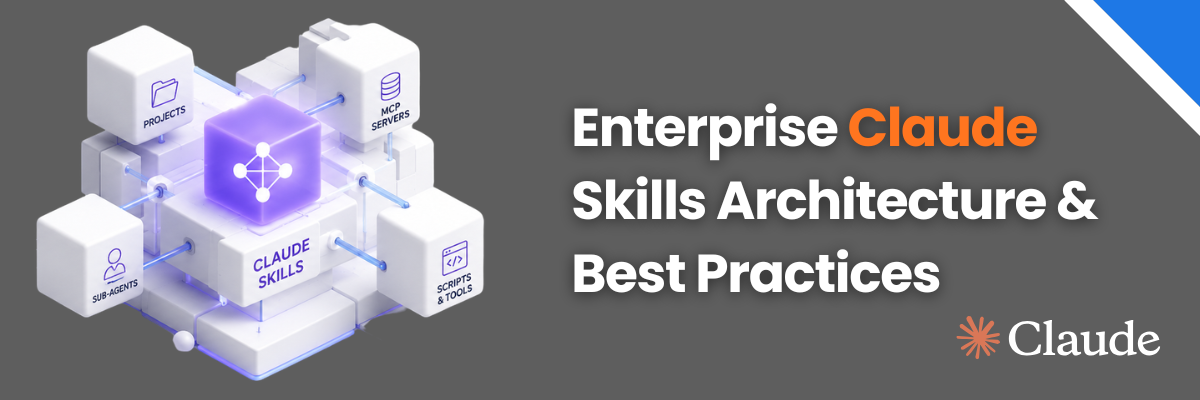
Banner displaying 'Enterprise Claude Skills Architecture & Best Practices' with a 3D Claude Skills diagram in the background
Most engineering teams approach Claude Skills as a single directory designed to teach an LLM how to perform a single isolated task. While that definition is functional, it misses the larger picture
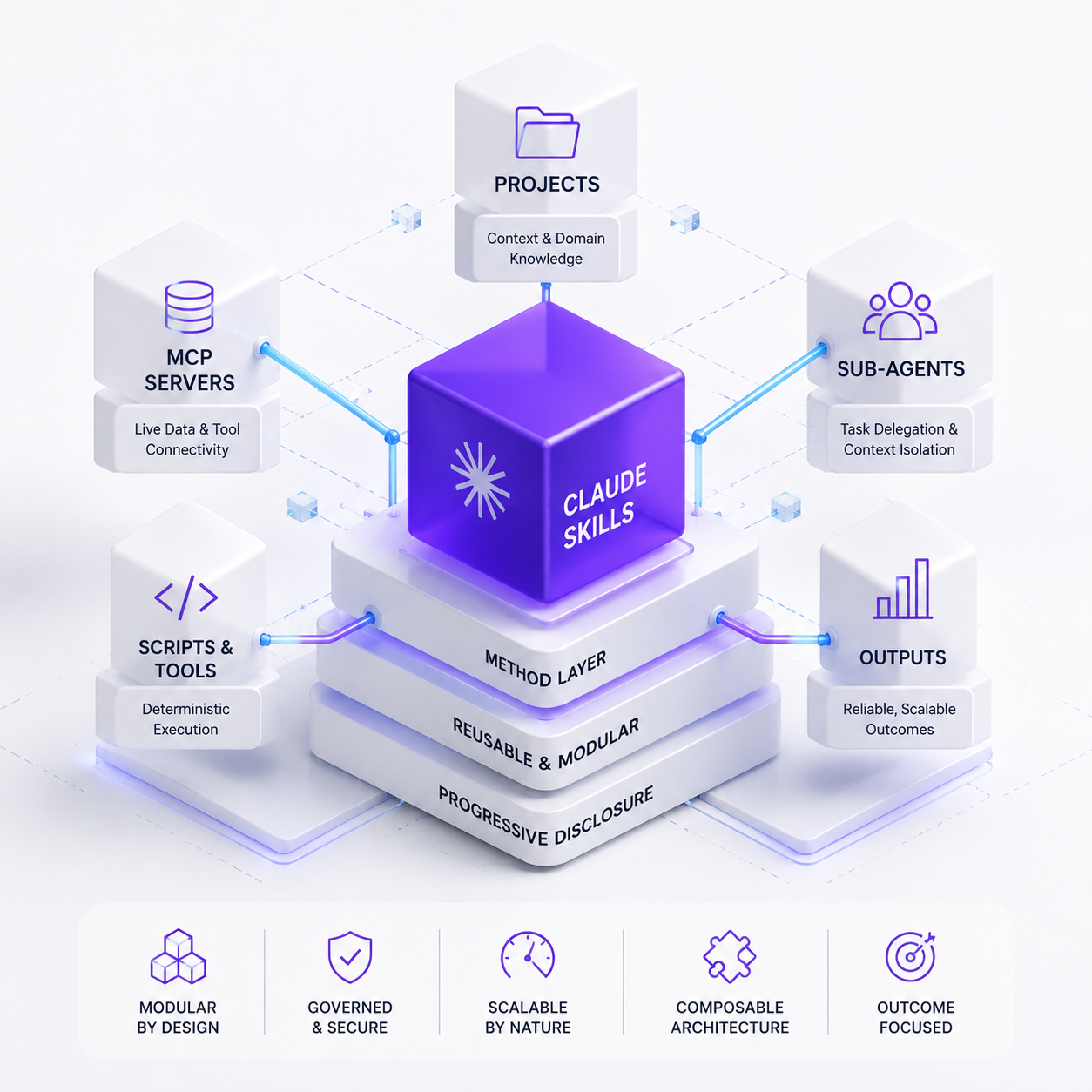
3D diagram illustrating Claude Skills Architecture with core modules like Projects, MCP Servers, Sub-Agents, Scripts, Tools, and Outputs
The real architectural challenge - and where enterprise value actually compounds - is designing a system of Skills that remains lightweight, routes intent accurately, and operates seamlessly across every environment your organization runs on.
This guide treats Skills not as an isolated feature or prompt directory, but as a core architectural layer. We will walk through the design decisions, trade-offs, and progressive disclosure principles required to build a durable, scalable capability layer.
If you are looking to integrate Skills into production systems, this guide covers context economics, capability composition, and the exact boundaries between Skills and the rest of the Claude ecosystem.

Positioning Skills as the Method Layer

At a technical level, a Claude Skill is a directory containing a SKILL.md file, optional executable scripts, and supporting reference documents that Claude discovers and dynamically loads when a prompt calls for it.
Anthropic defines Skills as modular packages of instructions, metadata, and assets that Claude invokes automatically based on task relevance. However, the critical architectural insight is recognizing where Skills sit in the enterprise AI stack:

PROJECTS

Standing context & background knowledge about a specific domain

MCP SERVERS

Live data connectivity, database access, & external API execution

SKILLS

METHOD LAYER: Codified, reusable procedures ("How work is done")

PROMPTS

Ephemeral, immediate turn-by-turn user instructions

Projects define what the project is. The Model Context Protocol (MCP) handles where the data lives. Ephemeral prompts represent what to do right now. Skills represent the method layer: the standardized, reusable execution manual for doing a job correctly every single time.
Designing at the method layer requires optimizing for three core properties:
  1. Discovery & Routing: A Skill that Claude fails to trigger is dead weight.
  2. Context Economy: Loading all procedural knowledge up front degrades reasoning efficiency and inflates API costs.
  3. Portability: A well-designed Skill must function identically across Claude.ai, Claude Code, custom enterprise applications, and the Claude Agent SDK without refactoring.
Achieving all three relies on a single core pattern: Progressive Disclosure.

Mastering the 3-Tier Progressive Disclosure Model

Progressive disclosure is the foundation of efficient Skill architecture. Rather than forcing the model to read an entire manual at startup, Claude reveals procedural information in distinct phases as the task demands it.

LEVEL 1: METADATA (YAML Frontmatter)

  • 1Trigger: System Startup
  • 2Cost: Minimal (~10-30 tokens per Skill)
  • 3Purpose: Universal registration and intent routing
On Intent Match

LEVEL 2: INSTRUCTIONS (SKILL.md Body)

  • 1Trigger: Task Routing Match | Cost: Moderate (Recommended <500 lines)
  • 2Purpose: Core workflow logic, step-by-step procedures, and decision trees
On Demand / Tool Call

LEVEL 3: RESOURCES (Bundled Files & Executable Scripts)

  • 1Trigger: Explicit Step Execution | Cost: Zero until read/executed
  • 2Purpose: In-depth reference manuals, schema docs, or token-free Python scripts

Tier 1: Intent Routing via Metadata

In Level 1, Claude reads only the name and description field in the YAML frontmatter of every installed Skill. This is loaded directly into the system context on session initialization.
Because Claude uses this field to determine whether to activate a Skill, the description is an intent router, not a passive label.
YAML

# GOOD: Explicit functionality and trigger keywords

name: post-mortem-analysis

description: Generates incident post-mortem reports from incident logs, Slack threads, and Jira tickets. Trigger when the user mentions post-mortem, incident review, RCA, root cause analysis, or outage summary.
The Description Stress-Test: Read only the name and description fields of your installed Skills without looking at their instructions. Could an external engineer (or an LLM) correctly route 10 different user requests to the right Skill? If not, rewrite the description.

Tier 2: Streamlining the Core Workflow File

When Level 1 matches user intent, Claude reads the SKILL.md body file into active context.
Anthropic guidelines recommend keeping the main SKILL.md file under 500 lines (roughly 1,500–2,000 words). Treat the SKILL.md file as a high-level orchestration index: keep core workflows inline, but offload detailed domain specifications, API tables, and optional branch logic into separate reference files.
incident-review-skill/

├── SKILL.md # Lean orchestration core (<500 lines)
├── schemas.md # Output payload definitions (Loaded on demand)
├── runaway-process.md # Specific edge-case guide (Loaded only if triggered)
└── scripts/
  └── parse_logs.py # Executed as a tool (Zero context overhead)

Tier 3: Context-Free Scripts vs. On-Demand Documentation

Level 3 contains two distinct resource types that engineers frequently confuse:
  • Reference Documents: Markdown files, OpenAPI specs, or style guides intended for Claude to read into context only when specifically referenced.
  • Executable Scripts: Python, Bash, or Node.js scripts meant for Claude to execute as local tools.
Executable scripts run deterministically without burning context window tokens on source code parsing. A 2,000-line log parsing script written in Python returns a raw JSON output to Claude in milliseconds, keeping source code out of the context window while providing 100% deterministic reliability.

Architectural Boundaries: Selecting the Right Claude Primitive

A major point of architectural confusion in the Claude ecosystem is knowing where a capability belongs. Misplacing instructions leads to brittle prompts, bloat, or broken tool calls.
PrimitiveWhat It IsPrimary PurposeWhen to Use It

Prompt

Ephemeral text input

Immediate, task-specific steering

One-off instructions or real-time guidance refinement

Skill

Folder of rules & scripts

Standardized, reusable method layer

You need a multi-step task done the exact same way every time

Project

Workspace context

Standing knowledge & repository files

Providing background context across multiple related chat turns

MCP Server

Live API / Data bridge

Real-time state access & external execution

Reading from databases, calling internal REST APIs, or interacting with cloud infrastructure

Sub-Agent

Isolated LLM runner

Task delegation & context segregation

You need parallel execution, distinct system prompts, or restricted safety sandboxes

Key Boundary Disambiguations

  1. Skill vs. MCP: A Skill contains procedural knowledge ("How to calculate churn"). An MCP server provides live state connectivity ("Query the Postgres production DB for active users"). A Skill tells Claude how to interpret and act on the data fetched by an MCP server.
  2. Skill vs. Sub-Agent: A sub-agent is an isolated worker with its own context window. A Skill is a module of expertise. Sub-agents load Skills to perform specialized tasks.
Rule of Thumb: If you have copied the same multi-step instructions into more than two prompts or system messages, promote those instructions into a Claude Skill.

Layering Primitives into a Unified Agentic Pipeline

Production AI architectures rarely rely on a single building block. High-performing systems stack all five primitives into a unified pipeline:

USER PROMPT

PROJECT CONTEXT

  • 1Holds domain background & baseline guardrails

MCP SERVER

  • 1Fetches real-time infrastructure logs & metric payloads

SUB-AGENT

  • 1Spawns an isolated security reviewer agent

CLAUDE SKILL

  • 1Applies the OWASP security review procedure

EXECUTABLE SCRIPT

  • 1Runs deterministic CVE vulnerability checker

5 Common Design Pitfalls to Avoid

When reviewing client codebases, our engineering team frequently identifies five recurring design errors:
  1. Vague Description Routing: Writing descriptions like Use for code tasks instead of detailing specific trigger keywords, causing Level 1 routing to fail.
  2. Monolithic SKILL.md Files: Dumping thousands of lines of documentation into the root file, forcing the model to expend token budgets on every invocation.
  3. Attempting Live Data Access inside Skills: Expecting a Skill to query external systems without pairing it with an MCP connector or CLI tool.
  4. Hardcoding Expertise in Sub-Agents: Locking procedures directly inside a sub-agent's system prompt rather than keeping it in a shared Skill that other agents can reuse.
  5. Context-Heavy Script Parsing: Forcing Claude to read and interpret raw script source code when simple tool execution would yield a deterministic result.

Accelerate Your Enterprise AI Strategy with Hajana Technologies

Transitioning from one-off prompt engineering to a scalable system of Claude Skills requires rigorous context management, clean abstraction boundaries, and enterprise governance.
At Hajana Technologies, our forward-deployed engineers work alongside your engineering teams to design, architect, and deploy production-grade agentic systems that scale cleanly across your enterprise.

How We Help:

  • Skill Architecture & Refactoring: Audit existing prompts and agent workflows to structure them into modular, high-precision Skills using progressive disclosure.
  • Custom MCP & Connector Development: Build secure, high-performance MCP servers that bridge live company databases and internal tools directly to your Claude agents.
  • End-to-End Agentic Automation: Deploy autonomous cloud routines, multi-agent orchestrators, and governance guardrails tailored to your team's CI/CD and production stacks.
Learn more about how we partner with enterprise teams through our AI Consulting & Automation Services, or explore our Claude Lead Qualification Agent Case Study to see our capability architectures in action.

Related Resources

Continue exploring our insights and case studies

Salesforce Health Score
Calculator

Salesforce Health Score

Discover how well your Salesforce is performing across data, automation, and reporting with our free assessment tool.

Try Calculator
Automation Savings Calculator
Calculator

Automation Savings Calculator

Discover the hidden cost of manual work and calculate how much you could save with AI automation.

Try Calculator
AI ROI Calculator
Calculator

AI ROI Calculator

Calculate how much money you're wasting on manual work and your potential savings with AI implementation.

Try Calculator
Claude Skills Architecture: Designing Skills That Scale | Hajana Technologies